

| Invoicing with WellMagic This screen illustrates the simplicity of the invoicing and payment posting process. Note that individual invoice line items can be added, deleted, and modified with a couple quick clicks. Payments are posted to each invoice. If desired, finance charges and sales taxes can be applied to an account. Invoices can be created directly from estimates or work orders. If a job goes through the process, the invoice is created instantly based on the estimate and overridden prices. They can also be created from "scratch" for over-the-counter sales. Once the billing is completed, it is best to click the Log/Maintenance button which returns the user to the opening screen to fill out the well completion report and/or add any maintenance records. |
|
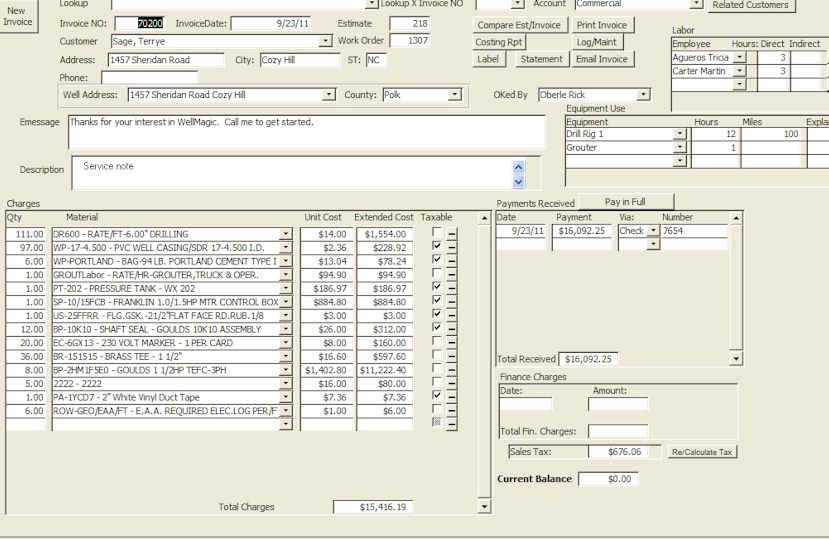 |
One click prints the invoice.
One click prints a statement. One click calculates sales tax for the job location or the shop location. |
| In addition to charges, each invoice stores
information about equipment used, employees on the job, payments, finance
charges, sales account, and other documents related to the sale including
estimates, work orders, and the site of the work. Invoices can be instantly emailed (no need to create or attach a document) A report is instantly available to compare the invoice with the initial estimate.
|
|